

What the Shop sells for KEEP and SOL, how the player-to-player item market works in SOL, fees and limits, and the KEEP market planned for onchain gameplay.
There are two places to spend: the SHOP, where the game sells a short list of items for KEEP and a few boosts for SOL, and the MARKET, where players sell items to each other for SOL. The Shop is a fixed price list; the market is an order book with floor prices, and the game never holds your SOL in the middle.
Everything here runs on Solana devnet. KEEP and SOL are test-net tokens with no real value, and prices are playtest settings that may change.
Quick facts
- The SHOP sells six things for KEEP: three consumables, the MAGE TRAINING WRIT and two HERO CONTRACT items. Hero gear is not sold — it only drops from the GOLD FORGE.
- The BOOSTS tab holds SOL extras: SHIELD +12H (0.05 SOL), extra BUILDERS (from 0.5 SOL) and the WARZONE SHIELD (10 SOL, only while a warzone is live).
- The TOKENS tab's KEEP packs read COMING SOON; there is no way to buy KEEP with SOL in the game today.
- On the MARKET the buyer signs one transaction: 95% to the seller, 5% to the fee treasury. The item moves once the payment is final on chain.
- Prices from 0.0001 to 1,000 SOL. Up to 20 open listings per seller and 5 reservations per buyer at a time.
- Browsing is open to everyone; listing and buying need a Land Deed.
- The WARZONE AEGIS can never be listed, and Land Deeds are not items — they trade on NFT marketplaces.
The Shop
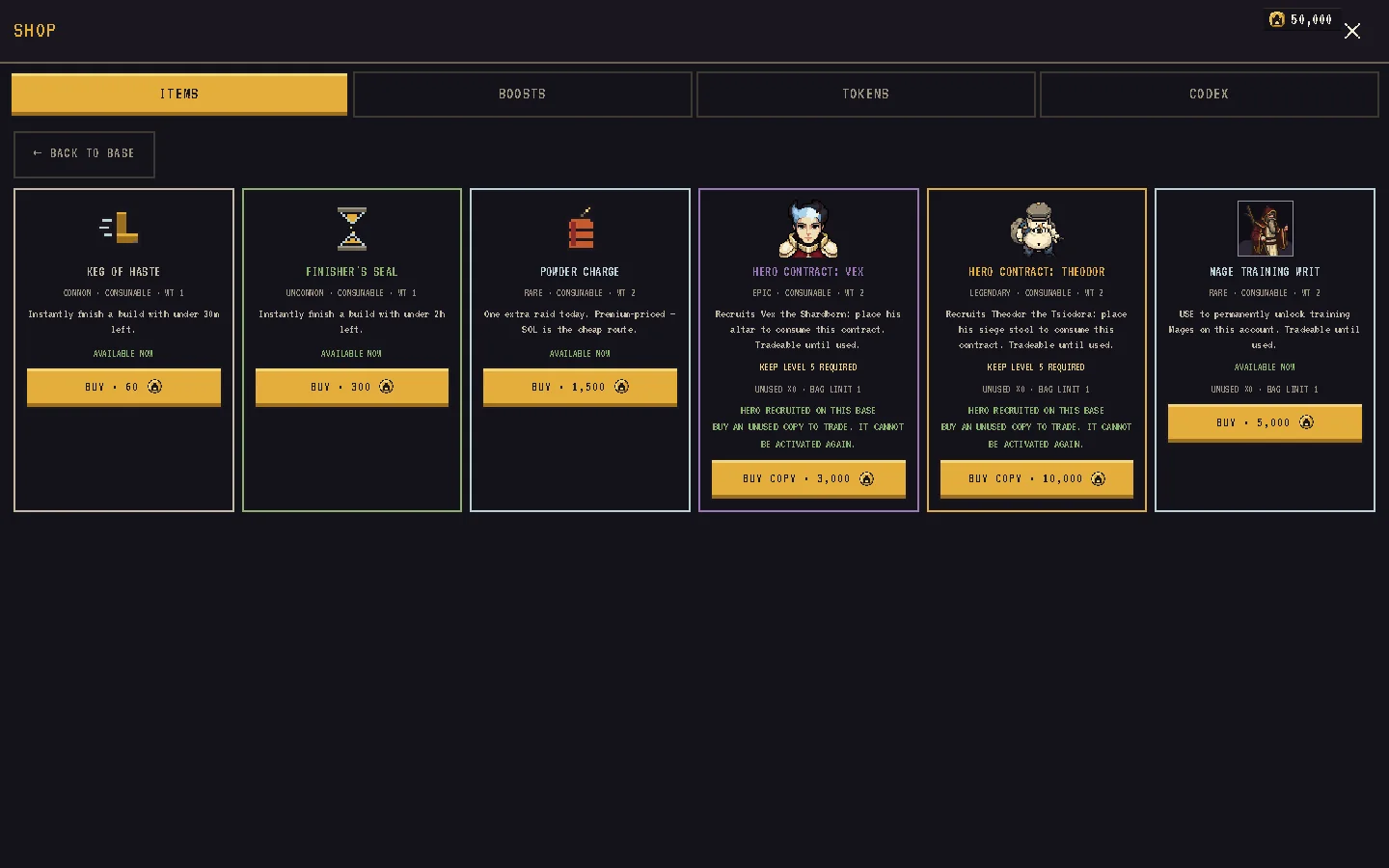
The Shop has four tabs: ITEMS, BOOSTS, TOKENS and CODEX. CODEX is not a store — it opens the in-game reference pages.
ITEMS — KEEP purchases
| Item | Cost (KEEP) | Requirement |
|---|---|---|
| KEG OF HASTE | 60 | none |
| FINISHER'S SEAL | 300 | none |
| POWDER CHARGE | 1,500 | none |
| MAGE TRAINING WRIT | 5,000 | none |
| HERO CONTRACT: VEX | 3,000 | Keep 5 and a Land Deed |
| HERO CONTRACT: THEODOR | 10,000 | Keep 5 and a Land Deed |
What each item does is on Items, gear and inventory. Every KEEP purchase:
- goes back into the reward pool — it is recycled, not destroyed;
- happens together with the item grant, so you are never charged without the item;
- is refused if your backpack lacks room or you already hold the item's maximum.
BOOSTS — SOL purchases
| Boost | Price | Notes |
|---|---|---|
| SHIELD +12H | 0.05 SOL | Extends your shield by 12 hours |
| BUILDERS | from 0.5 SOL | Each extra builder costs more than the last |
| WARZONE SHIELD | 10 SOL | 48 hours; only shown while a warzone is live |
Shields are SOL only on purpose. Every SOL purchase is a transaction you sign in your own wallet; the server grants the boost only after it has checked the exact payment.
TOKENS — not live
The KEEP packs here are greyed out and marked COMING SOON. The same tab links to the KEEP WALLET, where you can deposit and withdraw KEEP you already hold.
Skins and lootboxes
There are none. The old keep skins were removed and every buyer was refunded in full. There is no lootbox or gacha in the game.
The Market
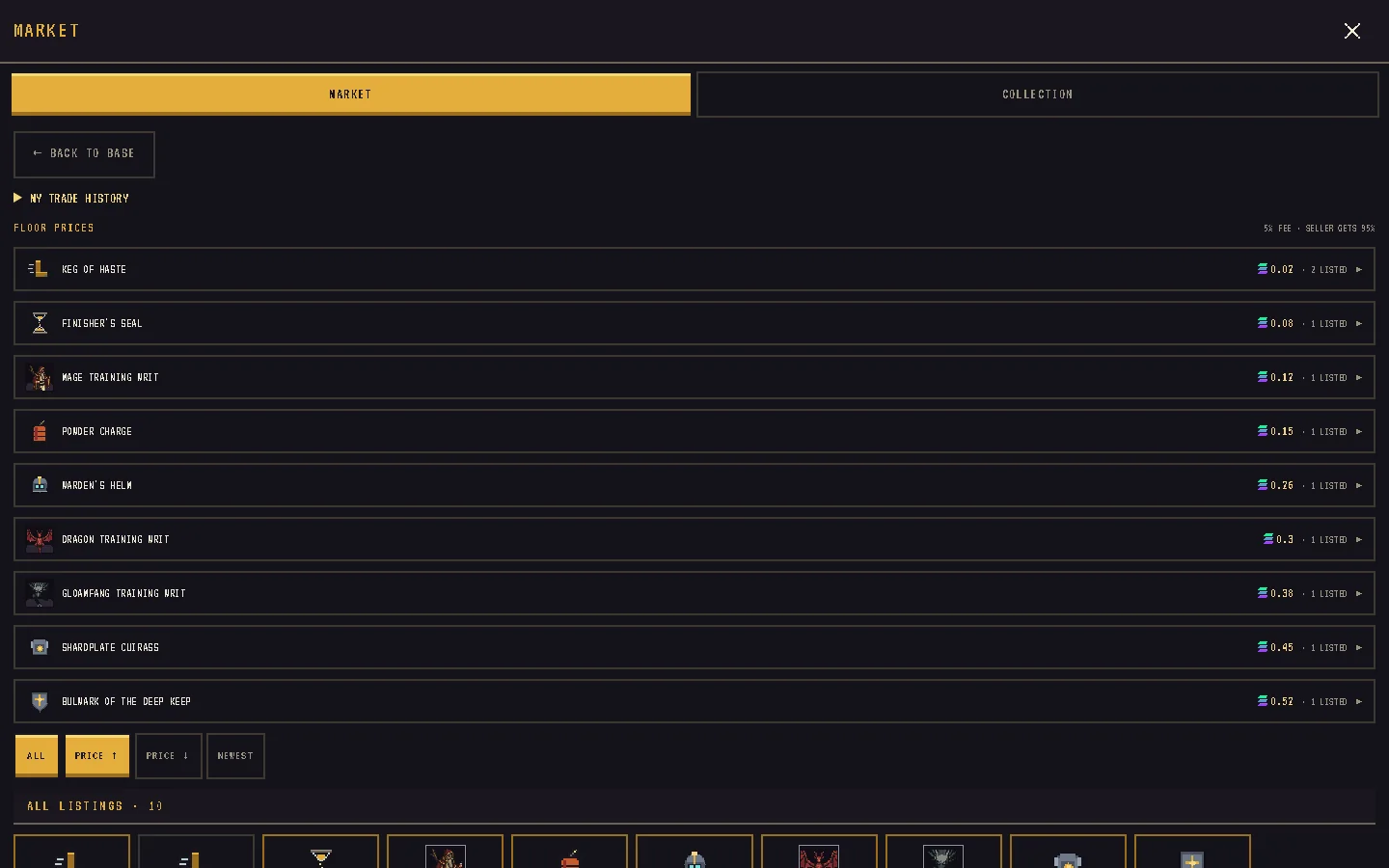
The MARKET is the player-to-player item exchange. It is priced in SOL and settles wallet to wallet: the buyer pays the seller directly, and the game only checks that the payment happened before it moves the item.
Who can trade
- Browsing the order book, floors and your own listings is open to everyone.
- Listing and buying need a Land Deed. Without one, the BUY and SELL buttons read NEEDS LAND.
- You cannot buy your own listing; it shows as YOUR LISTING.
What can be listed
- Any item you own an unequipped copy of: consumables, Warden gear, writs and contracts.
- Not the WARZONE AEGIS — it is Forge-only.
- Not Land Deeds — they are NFTs traded on NFT marketplaces (below).
- Listing moves one copy out of your backpack until it sells or you delist.
Fees and limits
Every sale splits the same way: 95% to the seller, 5% fee. The price field shows YOU NET … as you type.
| Rule | Value |
|---|---|
| Minimum price | 0.0001 SOL |
| Maximum price | 1,000 SOL |
| Open listings per seller | 20 |
| Reservations per buyer at once | 5 |
| Reservation hold | 120 seconds |
| Grace before a lapsed reservation is released | 180 seconds |
| Hold after the buyer submits payment | 600 seconds |
Selling
The top of the market is the FLOOR PRICES rail: one row per item with its cheapest price and how many are LISTED. Tap a row to see only that item. Sort by PRICE ↑, PRICE ↓ or NEWEST.
- Scroll to SELL FROM INVENTORY. Each item shows its floor, or NO FLOOR YET — YOU SET IT.
- Tap SELL. The price starts at the current floor. (The inventory's SELL ON MARKET button jumps here too.)
- Adjust: the label reads NEW FLOOR ✓ at or under the floor, or +N% OVER above it.
- Tap LIST.
Your listings appear under MY LISTINGS as LIVE or RESERVED — A BUYER IS PAYING. You can DELIST a live listing at any time.
Buying
Tapping BUY runs three steps, and the button narrates them:
- RESERVING… — the listing is reserved for you for 120 seconds, with the exact split.
- CONFIRM IN WALLET… — your wallet asks you to sign one transaction with both transfers. Nothing moves until you approve.
- CONFIRMING… — the game checks the payment on chain, then puts the item in your backpack.
If you close the wallet without signing, the reservation simply lapses and no SOL moved. If you did pay, you always get the item, even if confirmation is slow. The item goes to the base you had selected when you reserved.
Land Deeds: the NFT lane
Land Deeds are Metaplex Core NFTs. The in-game COLLECTION tab shows the deeds you own and links to Tensor and Magic Eden. A 5% creator royalty is set on the collection; marketplaces honour it by convention. On devnet there is no real liquidity. A traded deed conveys its base, SHARDS and backpack — never the seller's KEEP or SOL — and the buyer claims the base in the game. See Land Deeds and realm tiles.
Mail is not a trading channel
Mail attachments come only from the game or the team. There is no way to send items to another player except through the market.
Planned: the KEEP market
Devnet reminder
All SOL paid for boosts, all KEEP spent in the Shop and every SOL sale on the market happen on Solana devnet. The tokens have no real value, the fees and limits are playtest settings, and nothing here is a promise about a mainnet economy.
See also
- Items, gear and inventory
- Gold Forge
- Economy: SHARDS and KEEP
- Deposits, withdrawals and 2FA
- Land Deeds and realm tiles
- Gems
- Market and trading — the KEEP market planned for onchain gameplay