

What Pixel Kingdom Wars is, what you need to play in the browser or the Android app, and your first minutes: connect, sign in, start your free base, build.
On this page
Pixel Kingdom Wars is a Fun-to-Earn (F2E) pixel-art strategy game on Solana: you raise a Keep in one of eight fantasy realms, mine SHARDS, train an army with heroes and dragons, and raid other players' kingdoms in instant battles. Fun comes first, and your play also wins in-game rewards (what F2E means). Your first base is free, you can play in any browser or in the Android app, and everything on-chain runs on Solana devnet with test tokens that have no real value.
Quick facts
- Where: play.pixelkingdomwars.com in any browser, desktop or phone, or the Android app — from the Solana dApp Store on a Seeker, or as an Android APK from /download. See Android app and downloads.
- You need: a Solana wallet (Phantom, Solflare or Backpack recommended) or, where offered, a Google / X / email login that creates a wallet for you.
- Signing in is free: one signature, no transaction, no fees.
- Open playtest — everyone can join. No invite code required. Seeker verification is optional and is not required to play.
- Your first base is free: a level-1 Keep, 5,000 SHARDS, one builder and land to clear.
- No purchase needed: building, mining SHARDS, training, heroes, quests and the 100-stage campaign.
- Land costs 0.2 devnet SOL and unlocks your place in the world, the Gold Forge, the market, raids against landowners and withdrawals.
What kind of game this is
Three things shape everything else:
- The server decides. Your browser or app draws the base and sends orders; the server checks every build, timer, cost and raid. Every number on your HUD comes from the server.
- Land and KEEP live on chain. Buying land mints a Land Deed NFT for one tile in a realm, and KEEP is an SPL token. SHARDS, the everyday building currency, stay inside the game and can never be withdrawn.
- It is a playtest on devnet. Everything works with devnet SOL and devnet KEEP. Treat all of it as test money. See Smart contracts and on-chain.
Your wallet is funded for you (devnet)
You never need to hunt for a faucet. Once your first Keep stands, the game funds your wallet with 0.5 devnet SOL, and tops you up again when you run low — up to 3 SOL per wallet during the playtest, with 6 hours between grants. A small banner tells you when the SOL has arrived. When you need more, the land screen shows a CLAIM DEVNET SOL button; it counts down to your next grant, or shows the lifetime amount you have used. The public faucet at faucet.solana.com is not needed and may ask for a mainnet balance on the same wallet.
Your welcome mail also carries 5,000 KEEP to claim — open MAIL and tap CLAIM. It is enough to try the shop, elite troops and the Gold Forge straight away.
What you need
A Solana wallet. The game recommends Phantom, Solflare or Backpack, in that order; the Jupiter Extension is also recognised on desktop. On desktop you install a browser extension (Chrome, Brave, Edge or Firefox — Safari cannot host wallet extensions). On a phone you use the Android app, open the game inside your wallet app's browser, or on Android use CONNECT WALLET APP.
No wallet yet? When the build offers it, CONTINUE WITH GOOGLE / X / EMAIL creates a Solana wallet for you with no seed phrase. It then signs in exactly like any other wallet.
Every connect path, error message and platform quirk is on Wallets and sign-in.
Your first minutes
1. Connect
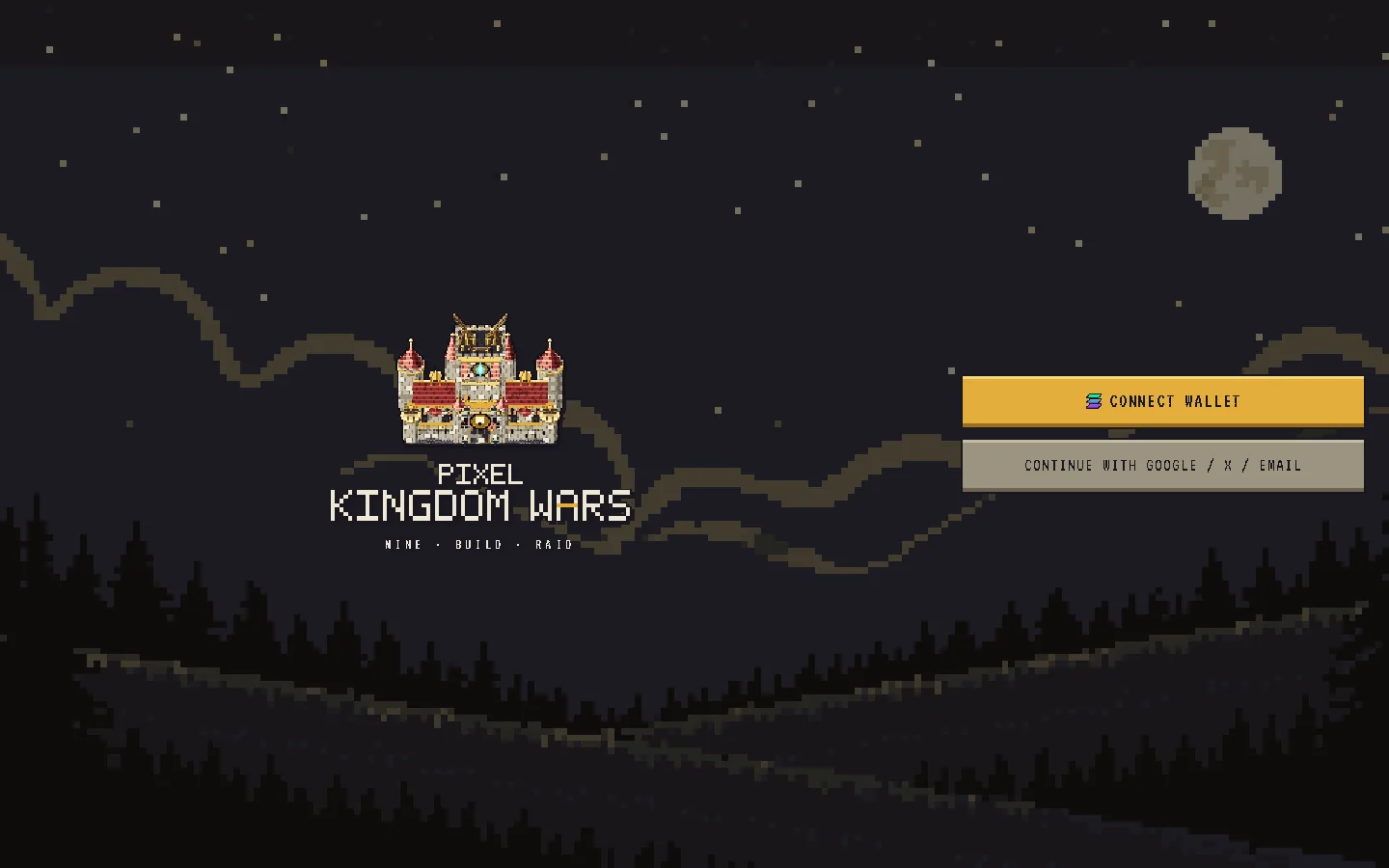
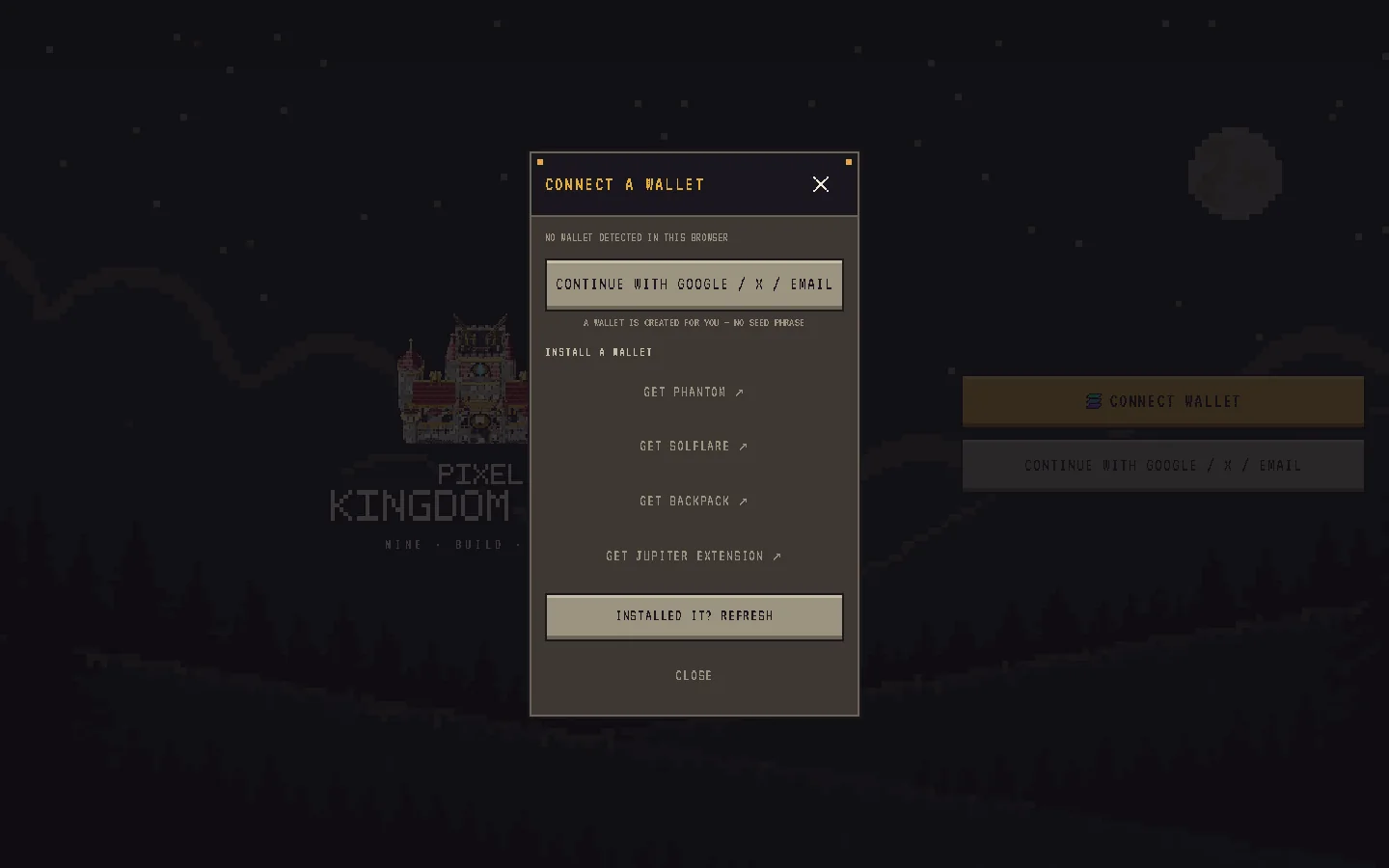
Open the game and tap CONNECT WALLET on the title screen. The connect sheet adapts to your device: on desktop it lists the wallets it finds in your browser first, then install links under NO WALLET YET?; on a phone it offers OPEN IN PHANTOM / SOLFLARE / BACKPACK, plus CONNECT WALLET APP on Android.
2. Sign the sign-in message
Once connected, the title button changes to PLAY AS and your short wallet address. Tap it and your wallet asks you to sign a message that reads, in part: "Sign to authenticate with Pixel Kingdom Wars. This request will not trigger a blockchain transaction or cost any fees." That is exactly what it does: it proves you hold the wallet, nothing more.
- The sign-in request expires after 5 minutes; if you wait longer, tap PLAY AS again.
- Your session lasts 7 days on that device. Signing out ends it at once.
3. Meet your free first base
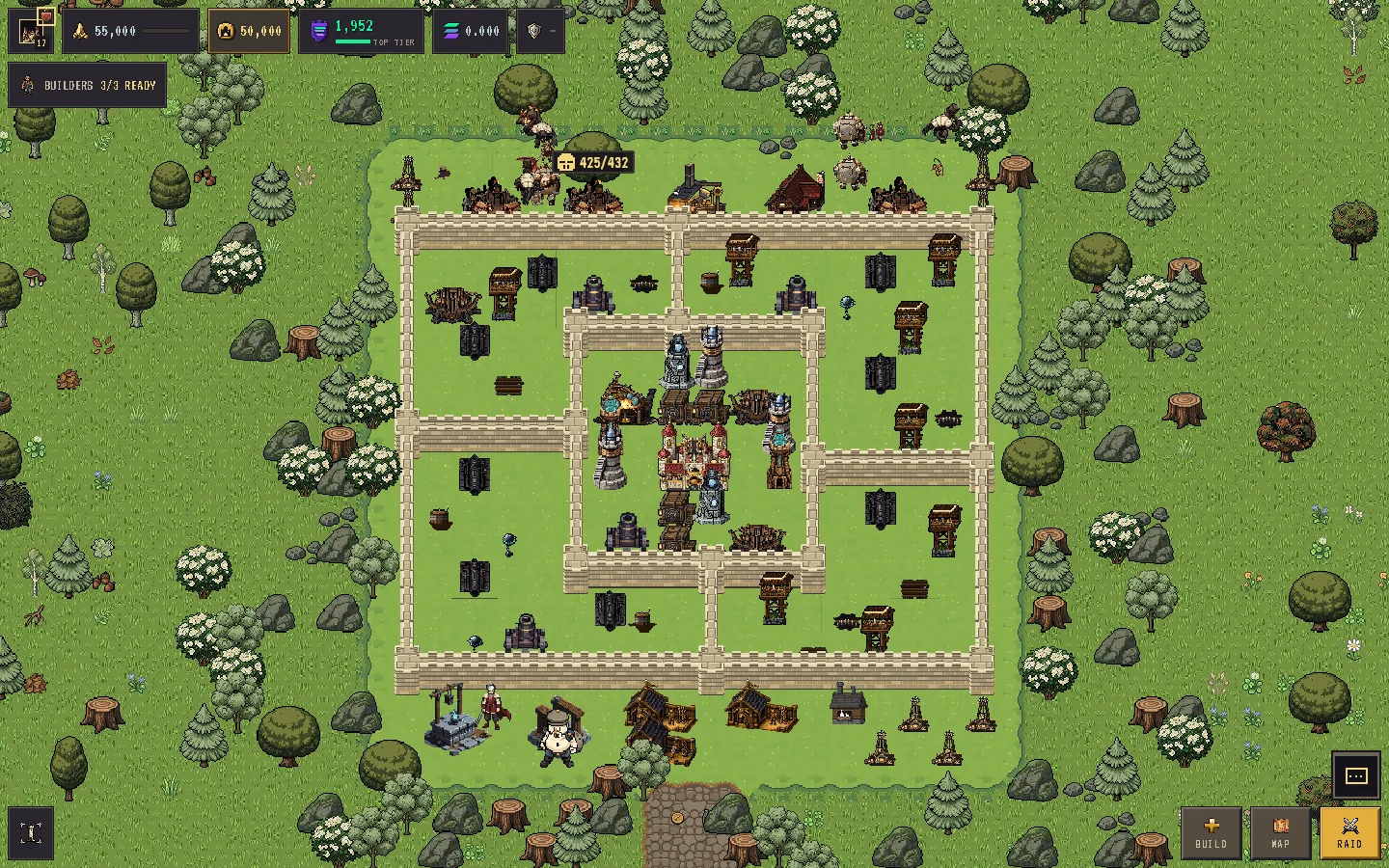
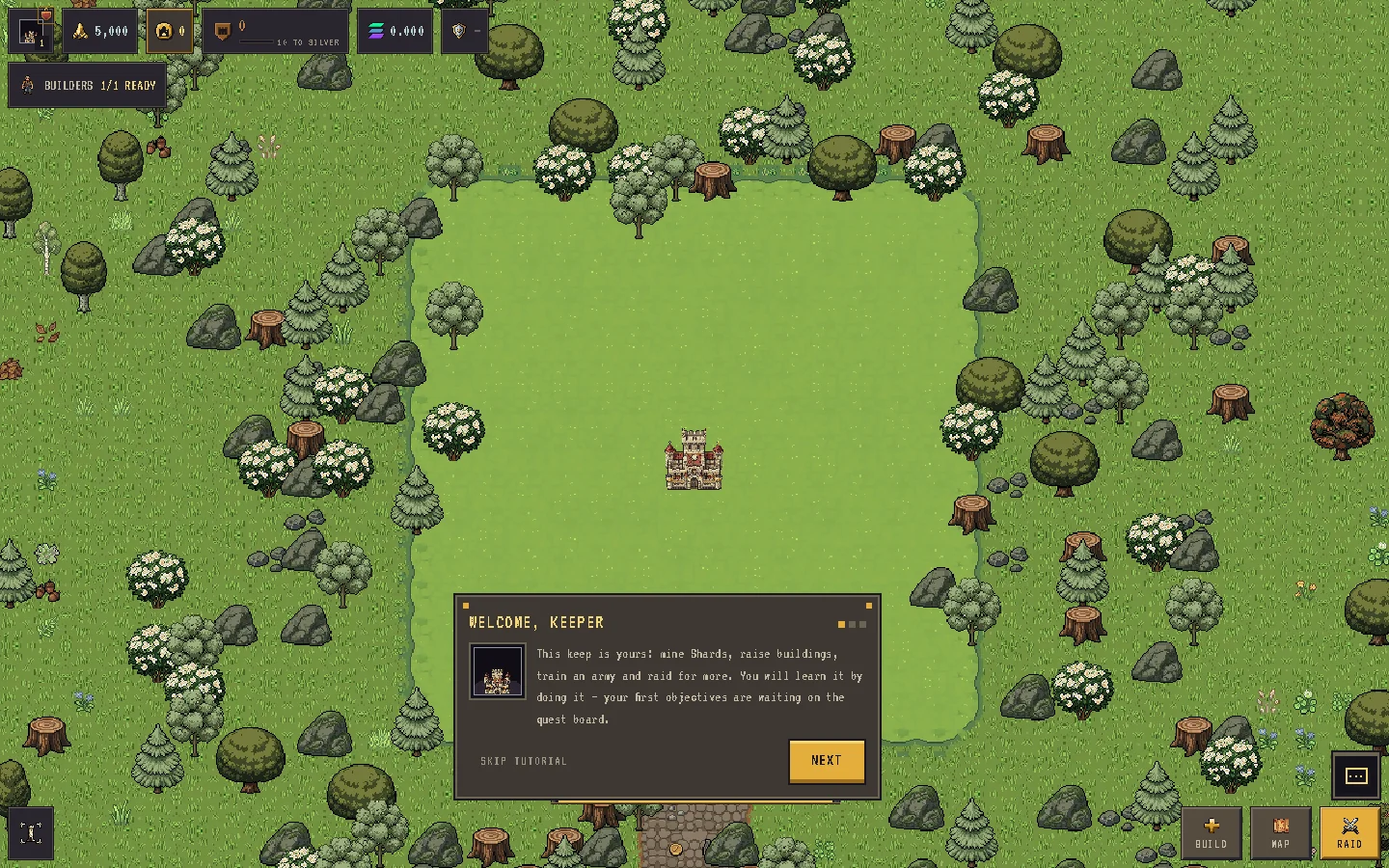
The first time you open the base screen, the server creates your kingdom: a Keep at level 1 in the middle of your land, 5,000 SHARDS to spend, one builder, and a realm around you scattered with trees, stumps and rocks. The buildable area — your claim — starts at 14×14 tiles and can grow to 50×50 with land expansions. Around it, the realm's own trees, farm, water and creatures make the base feel lived in.
A friend's KEEP-XXXXX referral link is optional. The game remembers it through sign-in and applies it automatically; you can also enter a code in PROFILE → OPTIONAL REFERRAL CODE → USE within 14 days of creating your account. See Quests, referrals, mail, chat and clans.
4. Follow the tutorial and the first quests
Three short cards appear on your first visit — WELCOME, KEEPER, LOOK AROUND (drag to pan, pinch or scroll to zoom, FIT to frame your land) and YOUR ORDERS LIVE HERE — and then hand you to the Quest Board. There a first-run chain teaches the game by having you play it, one objective at a time:
| Step | Reward (SHARDS) |
|---|---|
| BUILD AN ARMY CAMP | 15 |
| BUILD A MINE | 15 |
| BUILD A BARRACKS | 15 |
| TRAIN YOUR FIRST ARMY | 25 |
| CLAIM YOUR LAND | 30 |
| WIN YOUR FIRST RAID | 20 |
Each step names the next thing to do, takes you there, and pays when it is done. SKIP TUTORIAL dismisses the cards; replay them any time from PROFILE → SETTINGS → REPLAY TUTORIAL.
Around the HUD
The base screen is one layout that folds to fit your screen (some top-bar chips move into an overflow panel on a narrow phone):
- Top bar: your name plate, SHARDS, KEEP, the trophy chip (opens RANKED LEAGUES), SOL, raid energy and the shield chip. When you have unread defences the shield chip becomes RAIDED ×N and opens the raid log.
- Task rail: QUESTS, CACHE (the Daily Cache), MAIL, BAG (your inventory) and ARMY (your ready troops).
- Navigation: SHOP, BUILD, MAP, MARKET and RAID. BUILD opens the build menu with its DEFENSES, BUILDINGS and HEROES tabs.
- Base dock: BUILDERS, LAYOUT, EXPAND and FIT.
Your first builds
Nearly every building costs SHARDS and, except walls, keeps your builder busy for its build time — 60 seconds for every level-1 building. One builder means one job at a time, so order matters. A sensible opening:
| Building | Cost | Why first |
|---|---|---|
| MINE (your first) | 400 SHARDS | Your income. A level-1 Mine next to a level-1 Keep makes 500 SHARDS per day. |
| ARMY CAMP | 1,000 SHARDS | Holds your army. |
| BARRACKS | 300 SHARDS | Trains troops. |
| CANNON or ARCHER TWR | 200 / 250 SHARDS | Your first defense. |
| VAULT | 800 SHARDS | Shields part of your SHARDS from raiders. |
| WALL | 150 SHARDS each | Instant, never uses a builder; drag to place a run. |
Rules that catch new players:
- You can own 2 Mines at Keep level 1 and up to 8 from Keep level 7. Only the first Mine costs SHARDS; the others cost KEEP.
- A building under construction is on the map but does not defend, hold troops or mine until its job finishes.
- Clearing a tree or rock costs 10–60 SHARDS and some builder time, and pays back 15 SHARDS when it finishes.
- Moving a building is free and instant. There is no way to sell or demolish one, so place with care.
- The Keep gates everything: nothing can be upgraded past your Keep's level, new buildings unlock at set Keep levels, and how many you may build grows with it. The first Keep upgrade costs 182 SHARDS and takes 12m.
Collecting
Mines produce around the clock into a buffer that holds one day of output. When it is full, production pauses (nothing is lost) until you collect, so check in at least once a day.
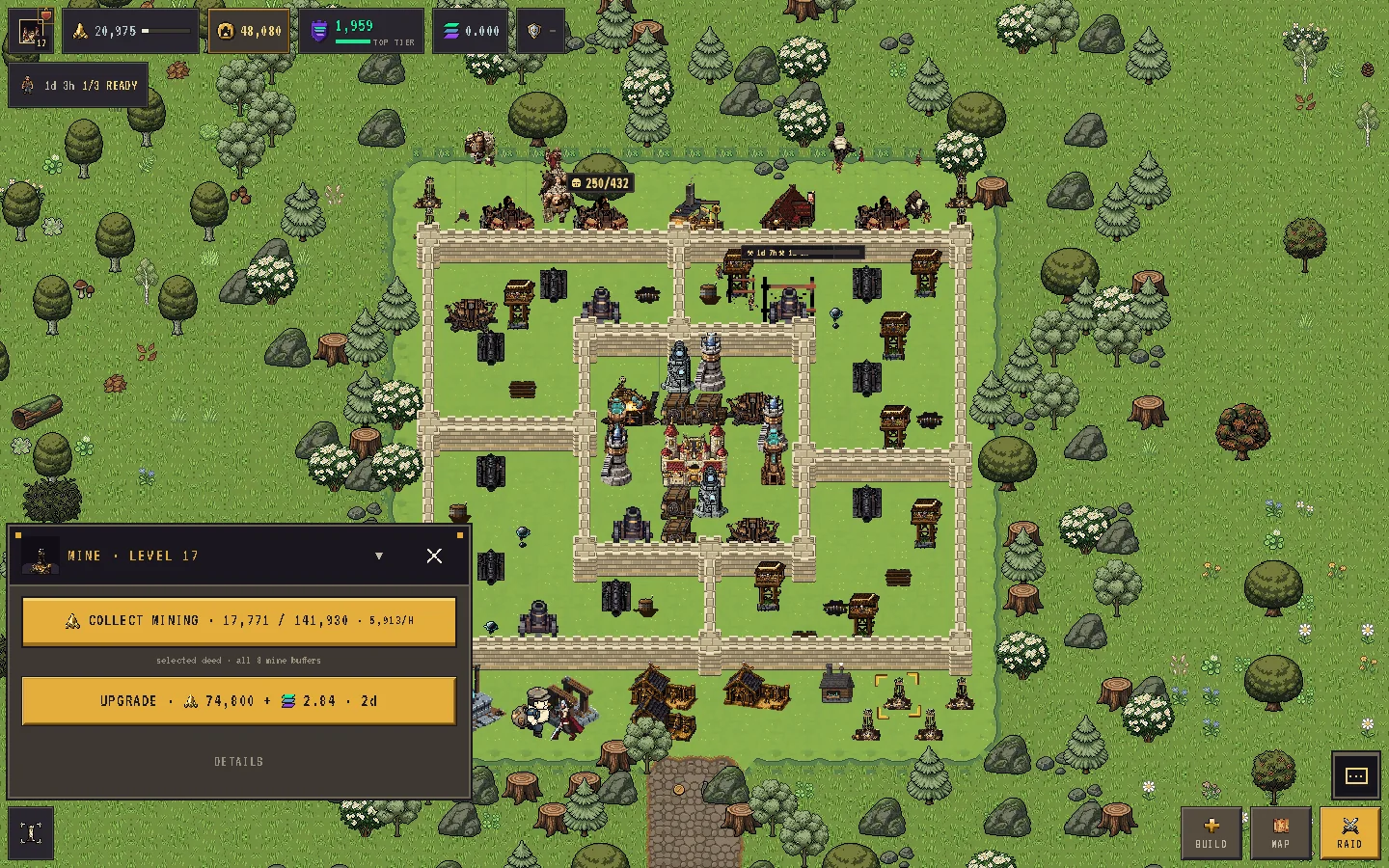
Once you have a finished Mine, the free Daily Cache opens once per UTC day. In your first week it pays 100 SHARDS × your streak day (100 on day 1 up to 700 on day 7); after that 500 a day while your streak is 7 or more — and a 7-day streak also multiplies your mining by 1.4. Miss a day and the streak restarts. Details on Mining and the Daily Cache.
Pick a name
Until you choose one, other players see your short wallet address. Set a name in PROFILE → SETTINGS: 3–16 characters, letters, digits, _ and -, unique across the game. You can rename once every 30 days. Verified Seekers can use their .skr domain as their name.
What buying land unlocks
You can play for free indefinitely. While you own no land your kingdom is not on the world map, nobody can find or raid it, and your PvP matches are only against other kingdoms without land. The HUD reminds you with NO LAND YET — FORGE, MARKET & RAIDS LOCKED.
When you are ready, buy a tile in one of the realms for 0.2 SOL (devnet — the land screen's CLAIM DEVNET SOL button gets you some). Pick a tile on the world map or take a secure random one; the tile and price are frozen before your wallet is asked to pay. That single payment gives you:
- Your tile in the world and a Land Deed NFT.
- The GOLD FORGE, which turns SHARDS into KEEP (it also needs Keep level 3).
- Buying and selling on the market.
- Raiding other landowners. The campaign is free for everyone.
- KEEP withdrawals (devnet KEEP, no real value).
- Extra builders and land expansions, bought with SOL.
It also puts you on the map: once you own land, other landowners can raid you.
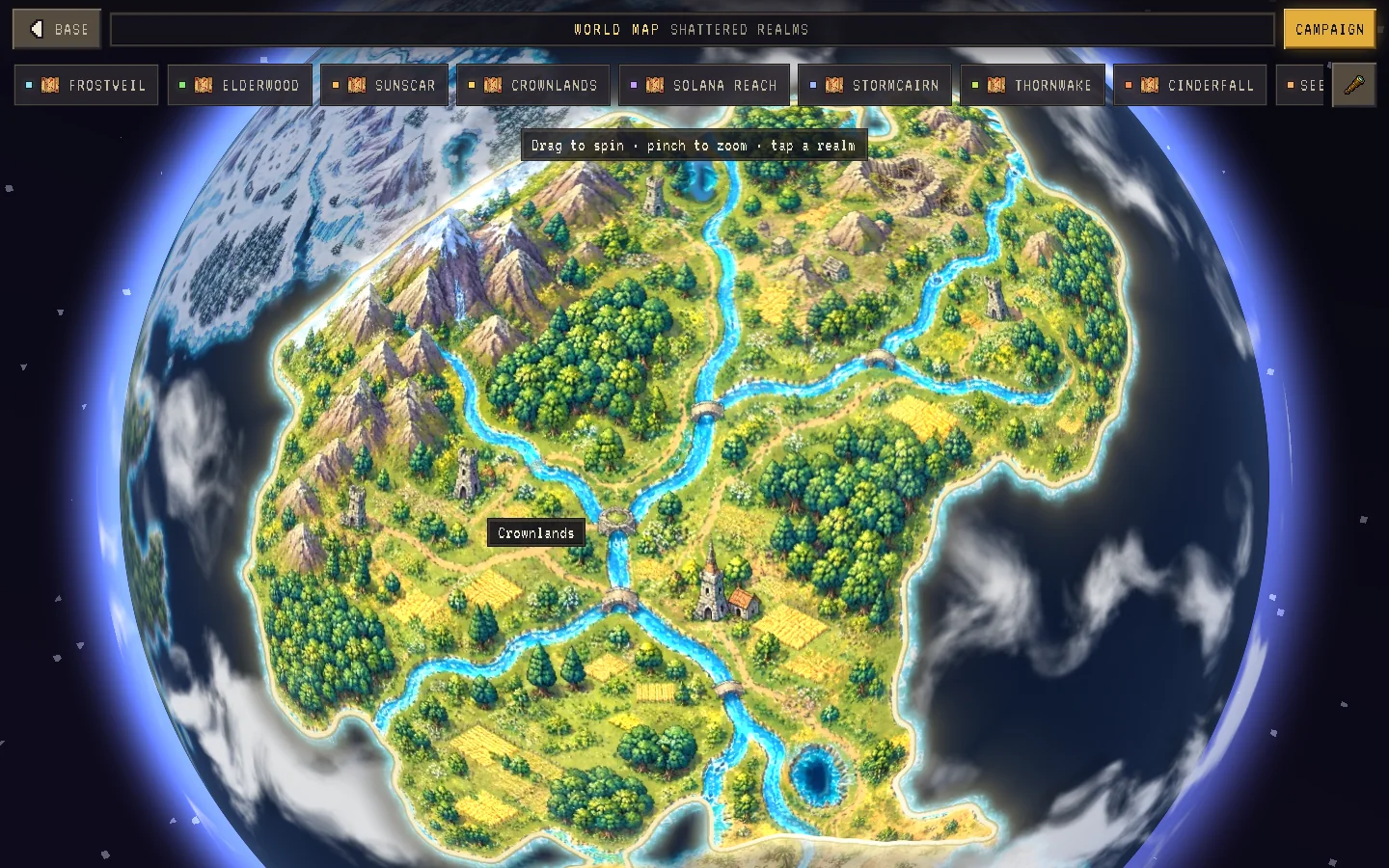
See Land Deeds and realm tiles for the purchase flow and Deposits, withdrawals and 2FA for moving KEEP.